
TachoTorch
download driver cardevaluate driving timeopen .ddd files
Download driver card and evaluate driving times
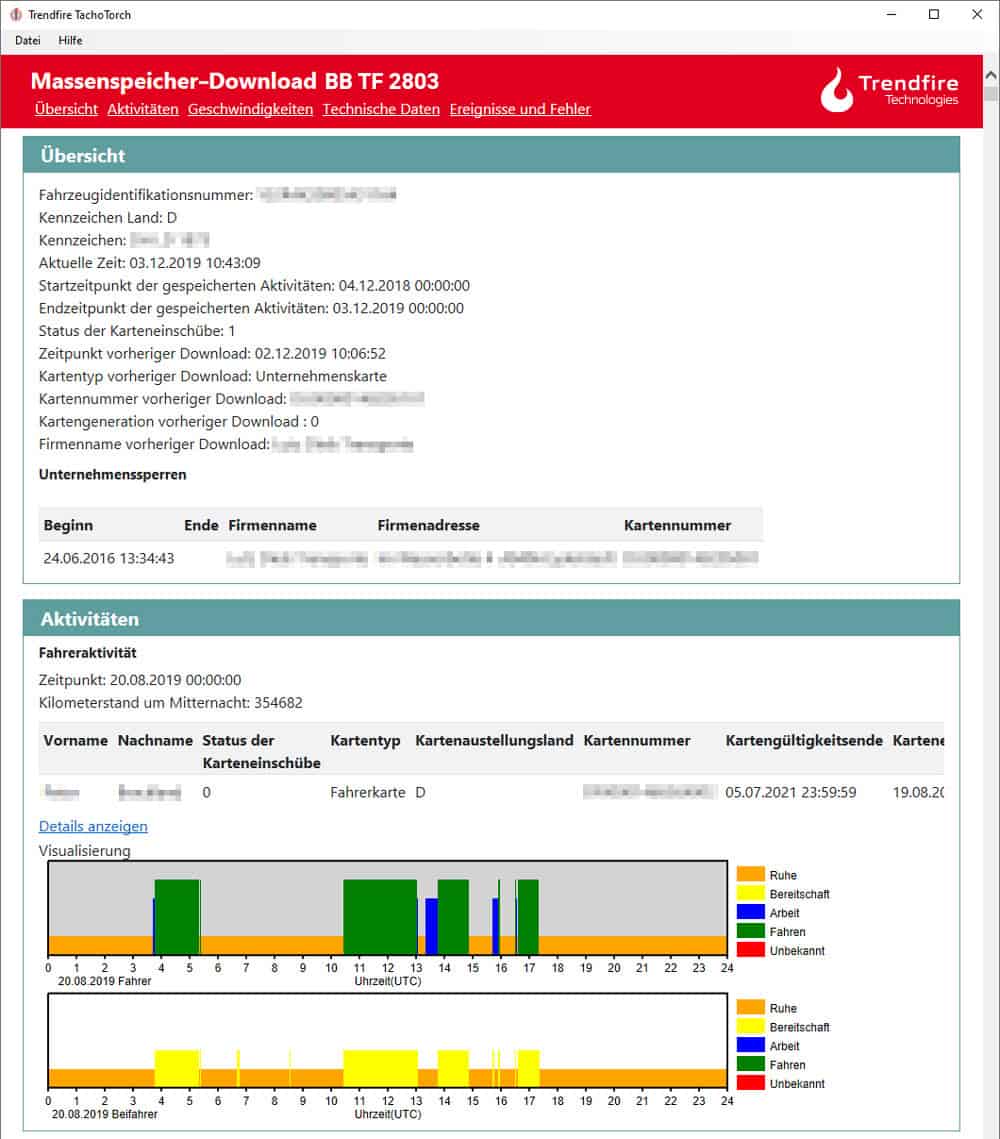
Download the driver card with a USB card reader on any Windows PC. TachoTorch transfers the data from the card to your PC and you can save the .ddd data. The clear visualization of the driving times makes the evaluation very easy and fast.

All functions
- Download driver card
- Open and show existing .ddd-files
- Graphic visualization of driver activities: rest, standby, working and driving times
- NEW! Export to table, XML, CSV
- Violation reporting of driving and rest periods
- Proper handling of the recording equipment (digital tachograph)
- Information about driver-card and digital tachograph
- Information about driver and vehicle
- Visualization for vehicle speed *
- Display daily kilometers **
- Driver role with time **
- Vehicles used in downloaded period **
- Evaluation of locations with input event
- Listing of special events (e.g. power supply interruption)
- Controls
- Specific operation
* only for mass memory data, digital tachograph
** only for driver-card-data
open .ddd-files of the 1st and 2nd generation

System requirements: Microsoft Windows 7 or newer with .Net Framework 4.7.2.
download data from driver-card and digital tachograph
Save all data automatically and within the specified time. No matter where your vehicles or drivers are (remote download), the data is automatically downloaded and archived. The times when someone had to read out all vehicles manually with a download stick at the weekend are over. You save time and money and are always on the safe side.
Fleet management with Trendfire Telematics






Contact
Herrenberger Straße 56, 71034 Böblingen
+49 7031 30488 0
info@trendfire.com
TachoTorch is a product of Trendfire Technologies GmbH.