Telematics app for truck drivers Mobile tools for communication & digital workflows
Trendfire Trucking connects drivers and dispatchers in real time. Key aspects such as communication, routes, documents, and remaining driving time are easily accessible and transparent.


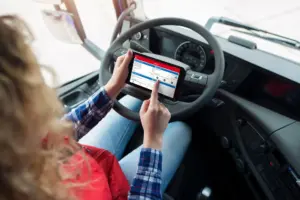
The cockpit for your fleet. Cockpit
From vehicle inspection to complex data analysis. All in one platform.
Direct communication tool for the Cockpit and Dispatch
The “Trendfire Trucking” app serves as the interface for direct communication between headquarters and drivers. Messages, navigation destinations, order data, photos, and shipping documents can be exchanged in real time.
- Complete Transparency: Status information and message histories remain traceable for all parties at all times.
- Smooth Operations: A unified communication platform for drivers prevents misunderstandings, speeds up order processing, and routes information directly to the relevant departments, such as Dispatch, Billing, and the Workshop.

Professional tools on standard hardware
In just a few steps, any standard Android smartphone or tablet can be turned into a precise tool for everyday driving.
- Targeted App Approval: Customized control of access rights prevents personal use and keeps the focus strictly on relevant work processes.
- Cost-Effective Hardware: Flexible use of existing or inexpensive standard devices.
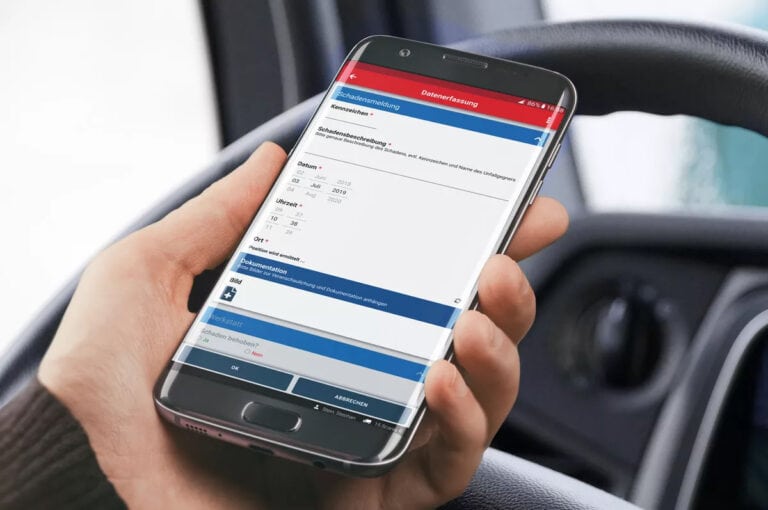
Seamless TMS integration and built-in route planning
Through integration with your transport management system, all route information—including stops, addresses, packages, loading equipment, and delivery slips—is fed directly into the app via an interface. This ensures that orders are processed entirely digitally and documented seamlessly.
Even if you don't have your own TMS, the telematics portal offers an integrated route planning tool that allows you to easily compile routes and load information and send them directly to drivers.

Discover all features.
Digitally document and track loading processes
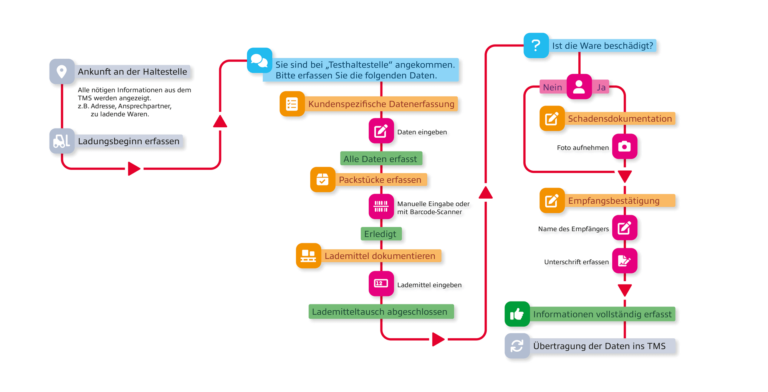
Specific information is often required for documentation during loading operations. In day-to-day operations, this information is frequently overlooked and inadequately recorded. The workflows and forms help solve this problem. Custom-configured processes consisting of questions, form entries, and work instructions can be triggered during the loading process depending on the type of load or stop. Drivers are guided step by step through all the prompts. This ensures that no required field is overlooked.
- Process Reliability: Guided forms ensure complete documentation of loading and unloading operations.
- Real-time notification: Collected data and status updates are immediately fed back into the Transport Management System, including location and estimated time of arrival (ETA).
Flexible forms for recurring processes
Recurring data and checklists can be entered directly in the app using custom forms. This standardizes fleet management processes and minimizes administrative work in the office.
- Versatile Use Cases: Ideal for departure checks, damage reports, vacation requests, or specific checklists.
- Immediate data availability: Data collected via mobile devices is immediately available to any department in digital form.
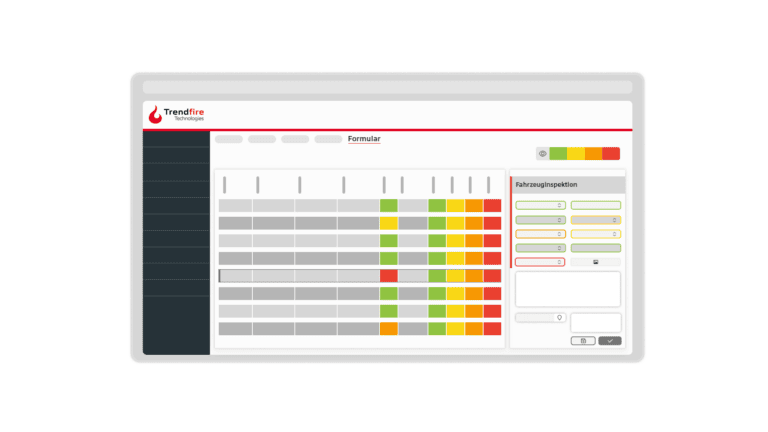
Digital document management
The integrated document management system makes all important documents available directly on the mobile device—from manuals to work instructions, cleaning schedules, and certificates.
- Always up to date: With all documents centrally available on the telematics portal, drivers have them at their fingertips at all times and can be sure they are up to date.
- Paperless organization: Replaces physical folders in the vehicle and minimizes the effort required for updates and inspections.
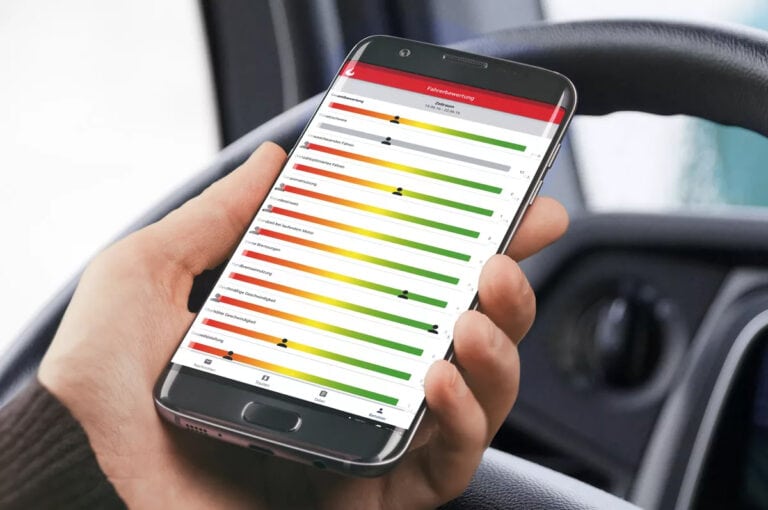
Driving style analysis and evaluation inside the app
The driving style analysis integrated into the app provides full transparency for drivers. Drivers can view their own ratings based on driving style and route profile at any time and take the initiative to optimize their driving behavior. This boosts motivation, noticeably reduces fuel consumption, and provides the ideal data foundation for targeted training.
Transparent driving and rest periods
The telematics app reliably keeps drivers informed at all times about remaining driving and working times. Automatic alerts about impending driving time violations and reminders about upcoming breaks effectively prevent fines. Activities outside the truck that are not recorded by the tachograph can also be documented quickly and easily.
Up-to-date toll costs
Since the toll display on the on-board units was removed, the telematics app has once again ensured full transparency: drivers can view and total the tolls incurred for the routes they’ve driven at any time, with data updated daily. This makes it possible to document toll costs directly on-site at the customer’s location on the delivery documents.
Integrated navigation
Die Telematik-App lässt sich um eine professionelle Lkw-Navigation erweitern, die fahrzeugspezifische Parameter wie Gewicht, Höhe oder Beschränkungen präzise berücksichtigt. Durch die direkte Verbindung mit dem Nachrichten- und Tourenmodul werden übermittelte Adressen und Zwischenstopps nahtlos in die Routenführung übernommen.



Frequently Asked Questions Questions
Short and sweet. Honest answers.
Is my data secure?
Your data is stored on our own servers in Germany for two years and can be exported in various formats at any time. Aside from you, this data is accessible only to our authorized staff. Even within your own company, you can choose to share only specific information about drivers and vehicles with your employees. This means you always have full control.
Is the telematics app worth it for me?
The “Trendfire Trucking” telematics app seamlessly connects drivers and headquarters. Whether it’s messages, digital forms, or order details, all relevant data is transferred error-free from the road directly to the portal for further processing. At the same time, transparent access to drivers’ performance ratings helps keep them motivated behind the wheel. The result: an efficient workflow with clear communication.
Can the telematics app read and process barcodes?
With Trendfire Trucking, you can use either the device’s camera or an external barcode scanner. This is very useful for documenting deliveries and tracking shipments, and it makes the driver’s job easier. Scanning barcodes down to the package level allows you to exchange order information captured on the go in real time via an interface with your inventory management or Transportation Management System (TMS).
How are updates installed?
Both our portal and our mobile apps are constantly being improved and further developed. Our hardware also receives regular firmware updates, which are transmitted via cellular networks. Of course, these updates are included in our service offerings.
Can the driver view their driver rating?
If your company uses driving style analysis, it is also available on tablets and smartphones. Drivers can view their ratings from the past few days and weeks, gain insight into the evaluation criteria, and continuously improve their driving behavior. Many of our customers use driving behavior evaluations as the basis for a bonus system. You can learn more about this in the case study on Pabst Transport.
On which operating system can I install the app?
The “Trendfire Trucking” telematics app is available for Android. We’d be happy to advise you on selecting the right devices for your fleet. Depending on the intended use—for example, as a navigation device—a large tablet may be the best option. If the device is also to be used outside the vehicle—for example, for departure checks—or if the driver is expected to carry it at all times, then a smartphone may be the better choice.
We don't have any tour software and still want to plan tours. Does Trendfire have a solution for this?
The Trendfire Telematics System is one of the most comprehensive on the market. With our solution, you get a route management and planning tool that integrates seamlessly with the telematics app.
What kinds of messages can be sent?
With the telematics app, your drivers and office staff can send text messages, images, documents (PDFs), digital forms, addresses, and route information. Message templates make communication even easier and faster.
How do I install the telematics app?
The Trendfire telematics app can be easily installed and updated via the Google Play Store. Of course, the app is also available as an APK file for manual installation on Android devices without the Play Store.